






🚀 New Feature Alert : Introducing RDash Activity Schedule! Plan, Track and Collaborate.  Check Now

Rdash
buildertrend small

RDash vs Buildertrend

Comprehensive Features Comparison

 Detailed insight into how RDash and Buildertrend stack up against each other in pricing and features.

Rdash logo

What is RDash?

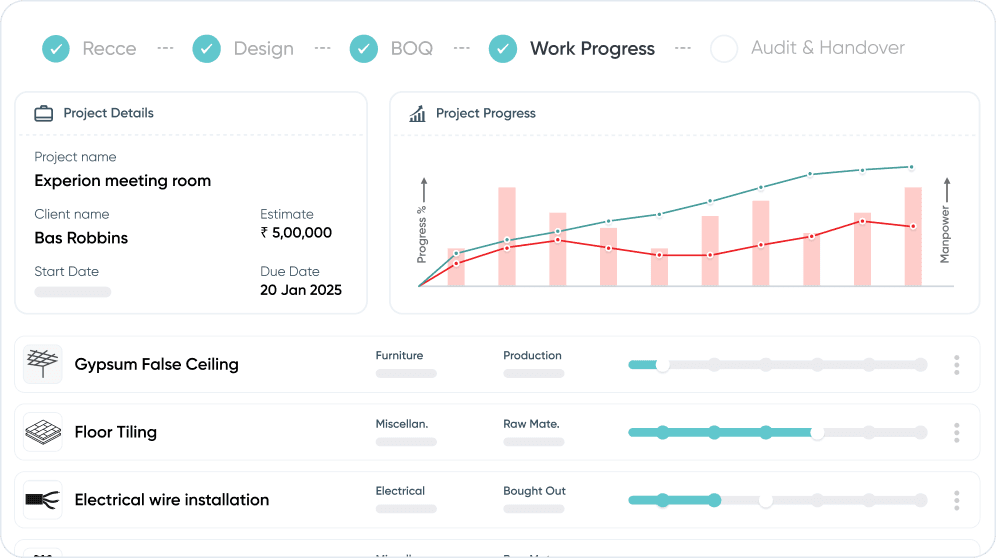
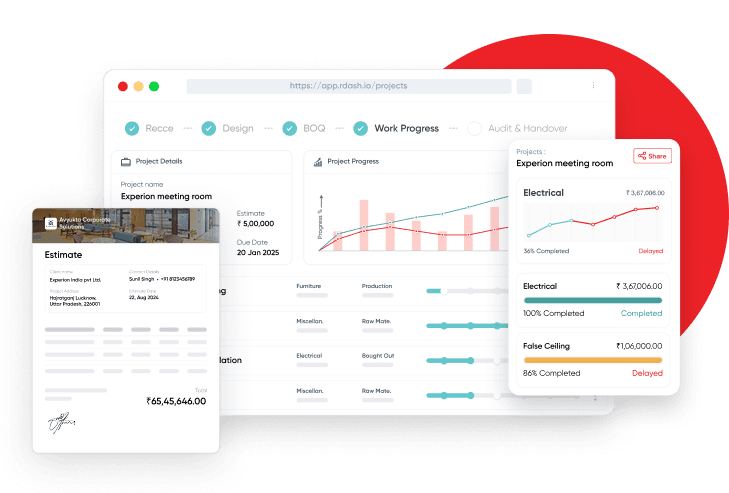
Rdash is a simple and easily adoptable software that brings rhythm across design, projects, finance, and procurement. It keeps the BOQ (Project Scope) at the center and ties progress, cashflows, margins, and quality control down to the item level. Also, Rdash is extensible to your clients and vendors to bring an all around rhythm on your project.

Built for fast adoption, Rdash is best fit for small and medium scale proejcts because it is simple enough for site teams and deep enough for CXO. for larger jobs, use Rdash as the digital backbone alongside specialized tools.

Why teams choose Rdash:
→ Best fit for small and medium scale construction projects
→ Adequate depth on both fronts i.e. progress tracking and financial management
→ Shortest cycle time, 90-day deployment guarantee
→ Dedicated Account Manager + On-Premise deployment support

*Pricing: RDash is priced on a per-user license model, so you scale seats as your team scale.

builder long logo 1
buildertrend ui 1

What is Buildertrend?

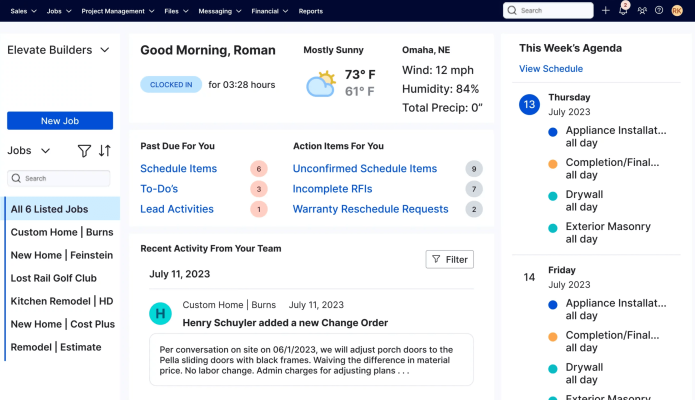
Buildertrend is a cloud-based construction management platform built mainly for residential builders and remodelers. It focuses on sales, client communication, scheduling, and basic financial tracking. However, it is not designed for BOQ-driven execution or complex commercial and interior projects.

For execution-heavy teams, Buildertrend can feel sales-led and limited in cost control and real-time project visibility, often requiring additional tools as project complexity grows.

Salient features:
→ Strong focus on residential construction and client communication
→ Includes sales, scheduling, daily logs, and basic budgeting tools
→ Better suited for standardised, repeatable projects than complex commercial builds

*Pricing: Buildertrend is priced on a per-user license model, similar to RDash

RDash Pricing Plans

RDash Pricing Plans

Buildertrend vs RDash: Feature wise comparison

Category & Features

Rdash
builder long logo 1

Pre-sales / CRM

Rdash helps you smoothen the hand-off from sales to projects by bringing the project knowledge such as Design Iterations, Scope Changes, Quotations etc. together before you have won the project.

Buildertrend CRM is a construction-specific CRM that handles:
Lead tracking, Sales pipeline, Proposals & estimates, Automatic conversion to projectsand ongoing client communication.
Its strength is tight integration with construction project management, not enterprise-grade marketing automation.

Lead capture & funnels

Built-in lead funnels; capture/import leads.

Built-in lead management + status; basic funnel.

Marketing integration

Integrates with ads/website for lead intake.

Quotations & proposals

Quick quotations & proposals; convert to project.

Uses Estimates + Proposals.

Convert lead to project

Convert lead into a project with all the information developed till date with a single click.

Native conversion from Lead → Project.

Site Survey / Recce

Rdash offers Smart recce & technical survey through Mobile App. You can configure survey templates based on project types which guides the site surveyor to complete the comprehensive survey in one visit.

No dedicated module but can be managed in checklist by making any kinds of required templates and can be assigned as To-DO

Survey Templates Configurations

Configure site survey templates from the frontend without needing a software developer support from Rdash

Through Forms & checklists.

Export survey report

Export surevey report in PPT or PDF

Export as PDF with the use of Daily Logs, Export as CSV with the use of To-Dos

Assign Survey task for field team

Survey Task is assigned on web and conducted via mobile app

Using To-Dos / Schedules

Contextual collaboration on survey docs

Go inside survey files i.e. images of PDF and initiate contextual collaboration in plangrid/fieldwire style

Threaded comments on documents

Design Management

RDash has a mini plangrid or a fieldwire built inside the design module where you can store design files, control versions, define approval workflows, and conduct digital review with design marking tools which are accessible both on mobile app as well as browser stack. RDash do not support BIM integration yet, it is a part of its roadmap. 

Buildertrend doesn’t appear to offer full-fledged “design module” functionality like a BIM tool or CAD-based design manager. If you need detailed drawing versioning, 3D models, design coordination between disciplines (structural, MEP, finishes), Building Information Modeling, etc., Buildertrend’s “Selections + documents + change orders” is more of a simple design/finish-decision layer, not a full BIM-level design management platform.

Design management / versioning

Design versions & change marks.

Buildertrend is not a design software.It excels on collaborating on plans post creation.

Design reviews / pin comments

Pin comments directly on design files (PDFs and Images)

You can draw and make annotations on plans as well as leave comments. Buildertrend will track the layers of changes, while always keeping the orginal.

Design Approval Workflows

Set-up a maker-checker workflow on design files

PDFs can be sent for signature approval

Share design files to vendors

Share specific design files to vendors, they get notified on whatsapp/email whenever there is a new version of the file

File sharing with collaborators/vendors

Project Scope Management / BOQ

RDash offers a fine tuned management of project scope (i.e. BOQ – bill of quantities) wherein you can track client confirmation on individual scope items, create BOQs from master catalogue of items, place order agains BOQ items, assign budget guardrails on BOQ elements, and much more.

Not a Traditional BOQ Format (Especially for Large Projects): Buildertrend’s “Estimate + Budget + Change Orders” is more flexible but less formal than a classical BOQ Excel sheet or quantity-surveyor’s deliverable. If you need detailed line-by-line quantities, unit definitions (e.g. m², volume, structural items), and rigid breakdowns, BT may feel a bit simplified.

Client scope creation & sharing

BOQ authoring & sharing; item-level controls.

Via Selections & Estimates.

Client Scope Vs Order analytics

Automatically throws P&L against BOQ elements for a handy review.

Not a native analytical comparison.

Change order management

Seemlessly track client approval status against BOQ elements. Consolidate all changes in the BOQ and create change order proposal for clients in one click. Client can approve via email without login into the system.

Full change order workflow.

Budget rates on BOQ

Manage both client rates and budget rates against BOQ elements → take charge of the P&L right at the planning stage

Client PO/Invoices & Payments

Track client side documentation in tandem with BOQ progression

Full client invoicing + payment collection. *Generally, a 6-month waiting period to apply for BT payments

Orders

‘Order’ is the second most comprehensive module (after work progress) inside RDash to manage ‘all things payables’ inside a project. You can create an order batch linked to BOQ, set approval permission chain, and automate order creation and communication to vendors. Link orders to your ERP for seamless data management. You can manage supplier’s running invoices and final invoices and initiate payment requests. Also, manage imprest expanses of your site executives.
‘Order’ module allows you to share extend Rdash access (as collaborators) to your vendors and helps you automate reconciliation, change order management, and project tracking with your suppliers.

Buildertrend manages orders through:
Estimates & Selections → define what will be ordered
Purchase Orders → order materials from vendors
Subcontractor Bids & Work Orders → order labor
Change Orders → manage scope changes
Invoices & Payments → close the financial loop

Add Vendors/Client as Collaborators

Piggiback orders with design and survey files so that the respective vendors are alerted when the documents concerning to them undergoes a change

Sub/Vendor portal.

Approval flow on POs, and Invoices

Configure approval workflows based on amount, roles, and custom configurations

We have “ready for payment” which acts an an approval for bills associated to Pos. We can also use custom fields for additional approval needs.

Rate contracts

Pull order items and rates from the catalogue

No rate contract module.

Automatic PO generation

Configure pdf template and standardise terms and conditions to auto-generate and email POs to vendors.

Pos can be templated or created from scratch. There is no automatic function when an order is placed.

Petty-cash/Imprest management

Site executive can log ‘out-of-pocket’ expanses for a project, can tag it to a vendor orders to auto-create debit logs

Vendor Descoping and Debits

Modifying orders is seamless, Rdash auto flags the modification in the supplier orders and creates an audit trail

Managed in change order a dedicated module

Payment Terms Standardisation

Standardise payment terms which can be easility pulled on a project with a drop down

Built-in terms on POs & invoices.

Vendor wise DPRs

Track vendor stated progress inside a project 

subs/vendors can have access to Daily logs to complete progress updates. Permission based

Reverse Bidding/ RFQ

Part of Rdash Roadmap. The Reverse bidding will be shipped AI native which will allow you take quotation from the Rdash ecosystem of GCs and SCs as well.

Installed Progress Tracking

RDash helps you establish a mechanism to capture installed % on the client scope (BOQ) at weekly or monthly frequency to be on top of their invoicing, collection, and monthly P&L. You can Configure item types and the progress tracking milestones to different item types. E.g. Production items such as furniture can be tracked in milestones such a Material Procured → Structuring Done → Ready for dispatch → Installed a site etc. while the site updates such a progress on ‘Raft foundation’ can be tracked in exact quantities or percentages. Rdash helps you track the real installed value of work against your client invoicing & cashflows, helping you control your exposure risk on a project.

There is no dedicated module for Progress tracking It combines schedule, daily logs, task checklists, field documentation, labour tracking and cost alignment under one roof – giving you a comprehensive tool for monitoring progress and staying in control.

Item type linked tracking milestones

Site supervisor has an intuitive mobile interface to log the installed progress

Through Schedules and punchlists

Safeguards against mis-reporting

Intuitive safeguards built out-of-box that aligns the site supervisors to report the correct progress without fudging the numbers

Audit logs exist; no automated controls.

Installed Revenue Vs Invoicing Vs Collection

Out-of-box management dashboards that allows you to be on top of your cashflows in a project

Buildertrend is able to track how much as been invoiced ($/%) and provide you the amount remaining to invoice as well.

Activity Tracking – Site Schedules

RDash offers a fine tuned management of project scope (i.e. BOQ – bill of quantities) wherein you can track client confirmation on individual scope items, create BOQs from master catalogue of items, place order agains BOQ items, assing budget guardrails on BOQ elements, and much more.

Activity Scheduling in Buildertrend is part of its Project Management module, designed to plan, organize, and monitor project tasks and milestones. It lets contractors, subcontractors, and clients see what’s planned and track progress in real-time

Planned vs Actual work timelines

Track how far behind or ahead you are on your planned schedule

Baseline Reports will support this.

Multilevel Activity grouping

Nesting of activities like the way it is in MSP or P6

Schedule groups + phases.

Link dependencies

Manage all four types of dependencies to arrive on a critical path

Full dependency support.

Easy Mobile accessebility from site

Site supervisors find it much easier to update from mobile

Full mobile scheduling.

Import Excel & MSP

Seamlessly Import MSP file to Rdash and Rdash file to MSP

Buildertrend is designed to replace MSP and Excel not P6. During onboarding import in schedules from excel to ensure current and upcoming projects are setup correctly.

Materials

RDash offers a fine tuned management of project scope (i.e. BOQ – bill of quantities) wherein you can track client confirmation on individual scope items, create BOQs from master catalogue of items, place order agains BOQ items, assing budget guardrails on BOQ elements, and much more.

NA

Make GRNs of stock recieved

Inward materials on site from orders or adhoc purchases.

Maintain Current stock at Site

Link Material inventory to catalogue and have a live tracking of unutilised material inventory in the entire network

Inter-Site Material Transfer

Move materials systematically in and out of the site without slippage

DPR – Daily Progress Report

RDash captures 360 degree update of movement in BOQ Scope Installed, Activities Progressed, Materials GRN and Stock consumptions etc. into a single comprehensive report which is circulated to subscribers on whatsapp.

Managed via daily logs no dedicated module for workprogress

360 Degree Progress Reporting

RDash’s DPR pull progress reported on different fronts (Activity Progress, Design Changes, Snags etc.) of a project via different stakeholders to make one single and comprehensive report of the day for leadership and the client.

Daily Logs are robust and will cover most progress reporting needs. No 360 Degree camera functionality.

Site View Points

You can designate camera angles to capture photographs from. Helps in generative comparatives for the purpose of weekly or monthly progress reports

Photos/videos in logs. No specific site view points

Manage DPR Subscribers

DPRs are generally circulated on whatsapp in form of PDF, you can manage the recipients on Rdash

You have full control over permissions and notifications regarding Daily Logs

Weekly/Monthly Progress Reports

Select a date range to export the progress reports

Reporting + logs date range selection available

Quality Management/Snags

RDash’s Snag module inside a project takes care of recording of client with right categorisation, Assignment to team or vendor and export a report with committed closure dates.

Buildertrend’s Snag Management (Punch List / Deficiency Tracking) is a practical tool for capturing, assigning, tracking, and resolving project defects. Its strengths are mobile logging, photo documentation, scheduling integration, and client transparency, making it ideal for residential and mid-size projects where quality control and timely completion are essential.

Easy Snag Creation

Capture, categorise, and assign snags to vendors from mobile app

Punch list.

Preloaded Categorisation & list of Snags

Bucketise snags in categories, helps in prioritising rectification and enforcing quality norms

No preloaded database. However, it is possible to accomplish with templates.

Assign Snag to team or vendor

Map snags to vendor or a to a responsible person with commitment dates

Full assignment.

Excel/PDF/PPT Import and Export

Import/Export snag reports in desired format to share with external users

Can setup templates for to streamline automation, only have the ability to export To-do’s to a CSV file

Task Manager

Turn every piece of information i.e. a photograph, an order element, expense request, snag etc. into a shared workspace. Go inside the design files or photographs and initiate conversation at a specific places within the document.

Buildertrend’s Task Management system provides a structured way to organize, assign, and track project work. It integrates with schedules, budgets, and progress tracking, making it a practical tool for managing construction projects, subcontractors, and field teams in real time.

Context on every task

Tasks can be on a specific context within a project, on a project, or outside a project

Tasks tied to jobs.

Auto Task Bucketisation

Undrstands whats important for you to address and flags it up

Self Reminder

Intuite Superhuman [email client] type interface and keyboard shortcuts to finish tasks, set reminder and much more

Via notifications.

Internal Escalations

Tasks work like an email thread, you can update files, add or remove stakeholders from the thread

Notifications but no escalation rules.

Notifications, Approvals, and, Escalations in one place

All notifications are by default powered on Whatsapp/Email; configurable on user roles

On app by default and other mediums (Customised)

Catalogue

RDash allows you to create master catalogues of items called ‘Libraries’ which can be used to create BOQs. Master catalogue typically has comprehensive list of elements you are procuring or creating BOQs with. You can also store supplier rate contracts on the master catalogue. The catalogues also powers account management workflows for your key clients where you can build master catalogues for key accounts and share it with them.

Catalogue in Buildertrend is essentially a centralized library of materials, finishes, and items that ensures consistency, faster estimating, client approvals, and better project tracking. It integrates directly with estimates, BOQs, selections, budgets, and procurement, creating a single source of truth for items used across projects.

Comprehensive Element Master

Store deep information like Specs, Make type, QC guideliens, Production drawing and much more on element level

Can create and store as catalogue in the estimation section no separate module to create a library

Catalogue Export

Export master catalogue in CSV to share with vendors and clients. Third party can access deep information behind the element without login into the system

Exportable to csv

Extensibility to clients and vendors

Extend catalogues to your vendor → direct them to create BOQs for you from the catalogue shared. This helps in use cases such as mass roll out of ‘standard specs’ projects such as retail, schools etc.

The client can have access via selections.

Manage supplier rate contracts

Store vendor rate contracts on catalogues

Within the catalog you can manage supplier pricing. You can also store agreements on the sub/vendor profile are in BT.

Extensibility

You can share your project access to your clients and vendors to automate reconciliation and improve accountability.

Buildertrend is moderately extensible:
Out-of-the-box customization: Templates, fields, notifications, and permissions.
Integration: Accounting, CRM, payment, and cloud storage via connectors or Zapier.
API: For custom applications, dashboards, reporting, or automation.

Data Access

Provide controlled access to survey and design files

You have full control over permissions and job access. Closed API

Snag Management

Manage snags at two levels. One that are reported to client, other which are just between GC and sub-contractor

Punch lists.

Documentation Management

Create document funnels and checklist while enforcing approval metrics

Files.(Dedicated for each project created)

Change order management

Your vendors can propose scope changes in the order and similarly you can request change orders from your client

Managed under finance module that client/vendor can access if tagged

Two level progress tracking

Your team provides tracking on full scope, while vendor provides his own reporting on the scope assigned to the vendor

Buildertrend allows you to track by and overarching phase and then by the items within the phase.

Third Party Consultants/Architects

Extend project access to MEP consultants, Architects and PMCs with access control rights to manage your project on your behalf

Unlimited users: Internal users, subs/vendors, and customers

AI

A powerful co-pilots powers queries such as: we need 21 more days on ABC project, create a delay report to ask time extension without any delay penalties.Help me improve my P&L by 2%. What are the pending PO approvals on me? Approve all.

Does not have any AI capabilities

Chat History

Multiple GPT like chat threads which steers the personalisation for the user

Semantic Data Layer

Live human readable data flow fed to LLM with RAG and Context Orchestration and out-of-box fine-tuning

Tooling

Visualisation tooling to render graphs, tables, Can export CSVs, Remembers past conversations.

Job Specific Agents

Started with two agents i.e. “How to operate RDash” and “Analytics Agents.” More job specific agents around procurement, project planning, Quantification, Reconciliation are in the roadmap

Mobile Experience

Most comprehensive and simple to use UI/UX for field team that powers things far beyond just project tracking

Users find the interface cluttered or unintuitive, especially comparing mobile vs desktop

Conduct Site Surveys

Guided mobile app powered workflow for survey that works in shaky network access

via To-Do’s

Create Change Orders Requests in the client sclope

Create and manage client scope from the App itself

Mobile change orders.

Create supplier Orders

Generate supplier orders and Purchase Requisitions from the App.

PO/Bill creation is availabe on mobile app

Review Design Files

Open and contextually collaborate on design files

File viewer.

Log Imprest Expenses

Log expense enteries with custom fields and push to approval chain

Update Activity Schedules

Intuitive UI to manage and update on complex schedule co-operated by mulptiple stakeholders

Full mobile scheduling.

Update Installed Scope

Declare what % of BOQ is currently installed via mobile app

Via checklists/tasks.

Generate DPRs

Supports complex workflows of multiple engineers working on different sections of a project, auto compiles entire progress in a day in a single report

Daily Logs on mobile.

Snag/Quality Management

Create and assign snags to vendors, track closures

Punch list on mobile.

Task Managements

Create and manage tasks, give approvals on the go

Full mobile tasks/checklist using To-do’s

Why You Should Choose RDash Over Buildertrend?

RDash is a simple, execution-first project management platform built for commercial and interior construction teams that need strong BOQ control, cost tracking, and real-time project visibility. In contrast, Buildertrend is primarily designed for residential builders and focuses more on sales workflows and client communication than on execution depth.

RDash automates the entire project lifecycle from survey to handover on a single platform, enabling faster adoption, tighter budget control, and smoother collaboration across teams. This makes RDash a more practical and scalable choice for execution-heavy projects where speed, accuracy, and cost control matter more than sales-led processes.

Ready to get started?

Fill out the form below and we will contact you as soon as possible.

Solutions
Who We Serve
Services
Pricing
Company
Resources
Play Video
Play Video